Lifestyle Almanac
A modular iOS app that combines a workout logger, a budget and a water tracker. Each is a self-contained module that can be turned on or off, and a Today screen summarises all three.
All data stays on the device and in the user's own iCloud. There is no backend, no account and no analytics. Settings → Backup exports everything as a single readable JSON file, which can also be imported back.
The app is written in Swift 6 and SwiftUI, with SwiftData for storage and HealthKit for Apple Health integration. It ships as four targets (the iPhone app, a widget extension, an Apple Watch app and its complications), builds with zero warnings under complete strict concurrency, and has 447 passing tests.
| Today | Workout | Water | Budget |
|---|---|---|---|
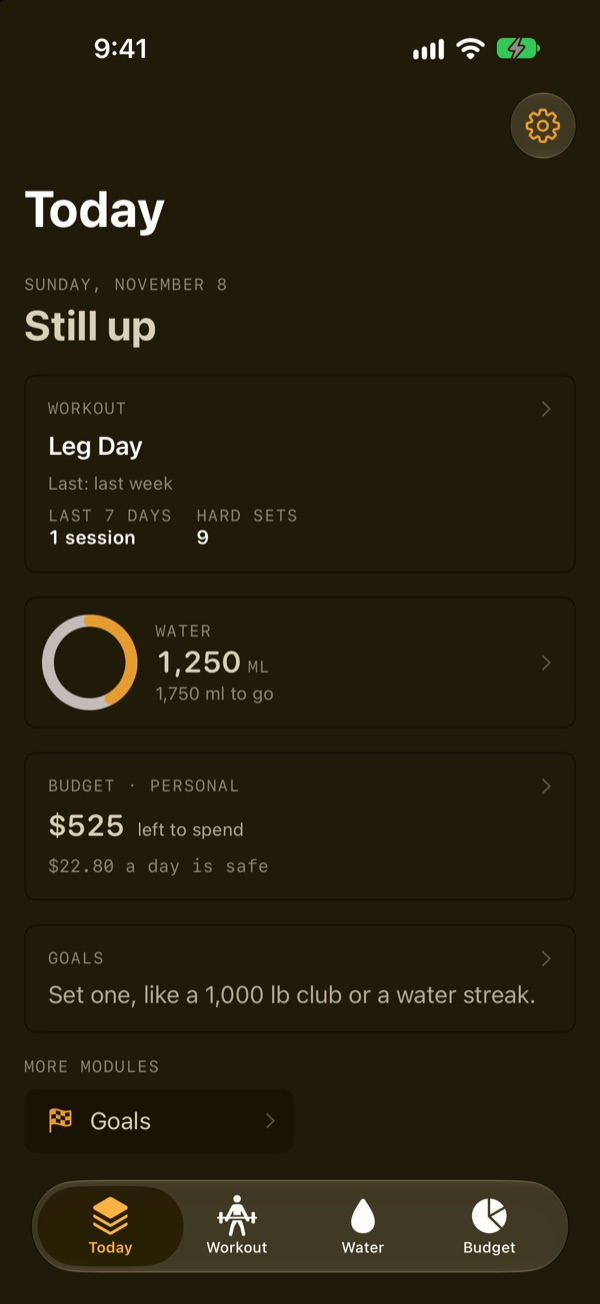 |  |  |  |
Workout
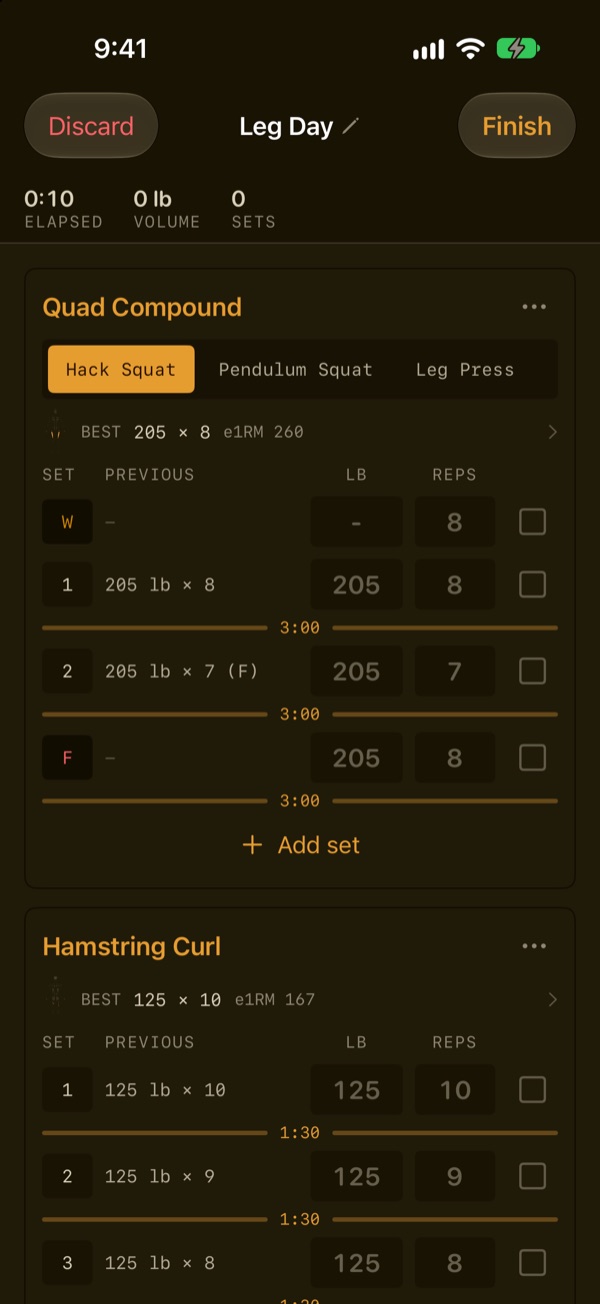
The workout logger is the core of the app. Most loggers treat each line of a routine as a single exercise, which breaks down when a machine is in use. If the hack squat is taken and you move to the pendulum squat, you either edit the routine mid-workout or keep a second copy of the same day.
Here, each line of a routine is a slot holding several interchangeable exercises, and you choose one on the day.
Quad Compound
[ Hack Squat ]  ( Pendulum Squat )  ( Leg Press )

Set  Previous         lb    Reps
 1   HACK 205 x 8     205     8    done
 2   HACK 205 x 7     205     8    done
 3   PEND 140 x 10    140    10    done
Each set records the exercise it was actually performed on. History and personal records stay accurate for each machine, while charts still treat the slot as one exercise. Switching machines mid-exercise leaves completed sets unchanged and refills the remaining ones from that machine's own history, since 205 lb on a hack squat is not 205 lb on a pendulum squat.
The logger also tracks estimated one-rep max with a choice of three formulas, rep-max curves, weekly hard sets per muscle and streaks.
Water
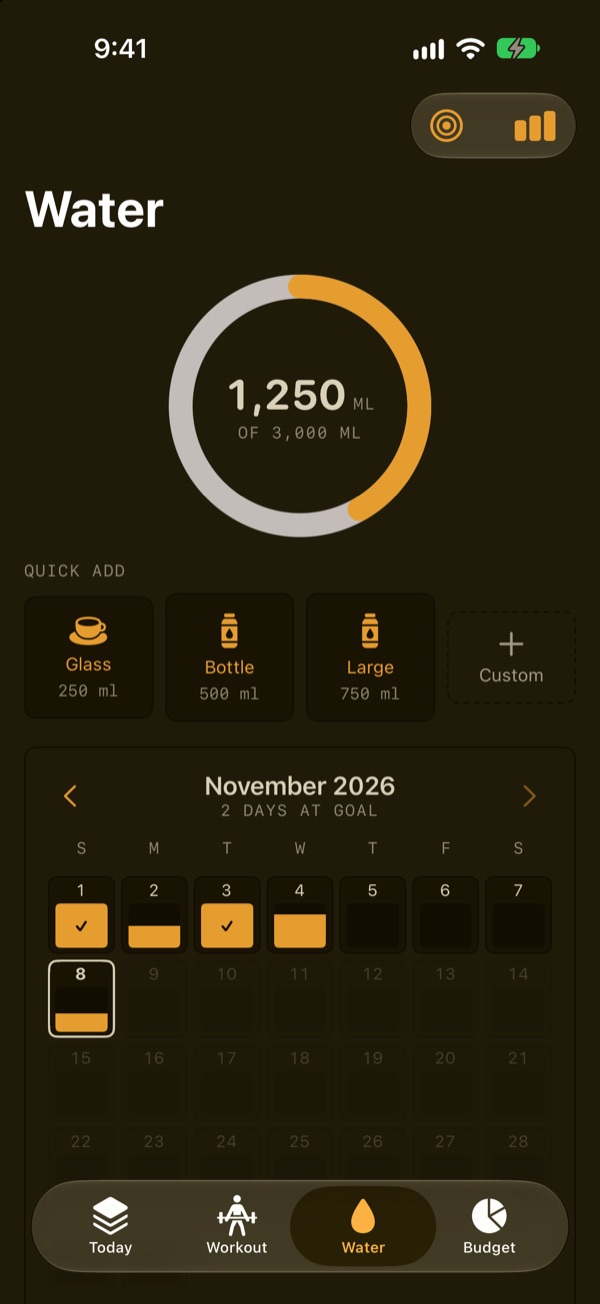
The water module is designed so that logging a drink never requires opening the app.
| Where | What it does |
|---|---|
| Home Screen widget | Small, medium and large, with quick-add buttons |
| Lock Screen | Circular gauge, rectangular and inline |
| Control Centre | A button with a set amount, which also works on the Action Button |
| Siri | "Log water", "How much water have I had?" |
| Shortcuts | An NFC tag on the bottle logs 500 ml |
| Apple Watch | An app and complications |
It also syncs both ways with Apple Health, so water logged in other apps counts here and the reverse.
Budget
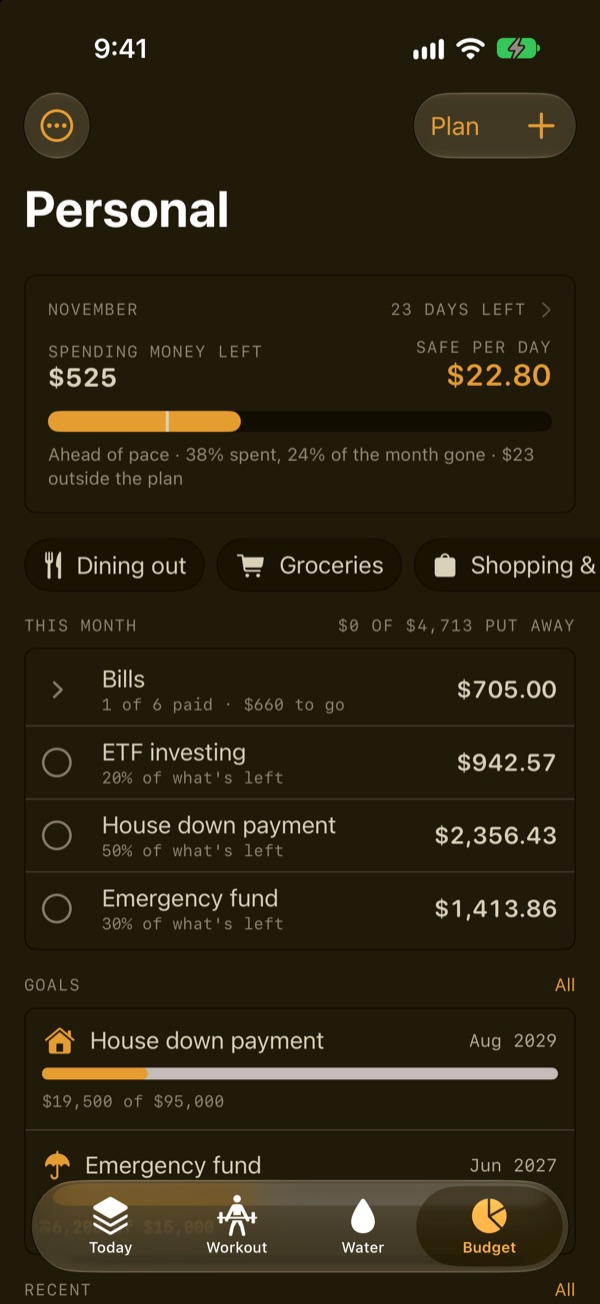
The budget is based on the spreadsheet I use to plan my finances, covering income, categories, surplus, allocation and goals. The spreadsheet had no way to track actual spending, so the app adds it. Spending is logged against each category, and the main screen shows how the month is tracking.
It keeps the rules that made the spreadsheet accurate. Bi-weekly pay is 26 cheques a year, not 24. Allocations must total 100%. Canadian minimum down payments and FHSA contribution limits are built in.
Challenges
Build order
Although the workout logger was the main goal, the water module was built first. It has only a few data types but uses nearly every Apple framework the app depends on, including HealthKit, WidgetKit, App Intents, Control Centre, Live Activities, iCloud and watchOS.
As a result, the difficult integration work (HealthKit's threading rules, passing data to widgets, and the App Group shared between the app and its widgets) was resolved on a small module. The workout module was then built on a foundation that already worked.
Routines not reaching the watch
The watch displayed "No routines yet" while the phone had two. Each individual step appeared to work. The watch requested the routines, the phone sent them, and the system logged the delivery.
The cause was the transport. The routine list was sent through a background transfer queue, separate from the live workout data, to avoid a conflict that did not actually exist. On the simulator, that queue could be delayed long enough to appear broken. Sending both payloads together in a single application context resolved it. Delivery is prompt, the phone does not need to be in range, and the data survives a relaunch.
Contrast across six themes
The colour palette is stored as numeric values rather than colour objects, which allows a test to measure the contrast of every text and background pair in each of the six themes. That test caught a text colour designed at exactly the 4.5:1 accessibility minimum, which fell to 4.477:1 once rounded to 8-bit colour.
A crash reported as a pass
One test run reported "0 tests in 6 suites passed". The test process had in fact crashed partway through. The rest timer called directly into UIKit, which is unavailable in a test host, and every suite after the crash was reported as passing with zero tests.
Moving those calls behind a small protocol fixed the crash and made the rest timer's behaviour testable.
Development with Claude Code
I built this with Claude Code, and the repository is organised to keep each session focused and token usage low.
- A concise CLAUDE.md. It contains the build commands and only the decisions that would lead to incorrect work if missed, such as storing mass in pounds, recording which exercise each set belongs to, and iCloud's schema rules. A reference table points to the architecture, data model and design notes in
Docs/, which are read only when a task requires them. - A working plan for long sessions. A plan file with a checklist is updated as work lands. Its first instruction is to re-read the file, then the branch's
git log, if the context has been compacted. - Feedback recorded verbatim. Feedback is saved to a file before work begins, so nothing is lost when a long conversation is compacted.
- New sessions from written briefs. New work starts in a fresh session from a short brief that begins with "Read CLAUDE.md first", rather than extending an existing conversation.
- A separate build journal. A gitignored
.build_timeline/folder records the reasoning behind decisions and a log of each challenge, noting the symptom, the actual cause and the fix. Commit messages hold the conclusions, and the journal is consulted only when the reasoning is needed. - Launch arguments for testing. Debug builds accept
--seed-demoand--open <module>/<path>, which open the app directly on a given screen with demo data, using the same deep links as the widgets. The screenshots above were captured this way. - A preflight script for device builds.
device-preflight.shchecks the full device setup in a single read-only run and lists anything missing.
Current status
The app runs on a physical iPhone and is available on TestFlight to internal testers. iCloud sync is implemented but currently disabled, and the Apple Watch app has not yet been tested on a physical watch.